

Quizzes
A quiz shows the question on the left and a chat with the AI on the right. Use the arrows next to Question 1 / N to move between questions in any order. A green tick means you have finished that question. On a phone, tap View options to switch between the question, the chat or both.Answer a question
Depending on the question, you answer in one of three ways:- Text: type your answer. Press Enter to send and Shift+Enter for a new line.
- Audio: click the microphone, speak, and click again to stop. Play it back, delete it or submit it. Recordings can be up to one hour.
- Code: switch to Code, write your code and click Run to try it. Web code shows a live preview; Python, NodeJS and SQL show the output. Add program input with Input. Click Submit to send your code as the answer. Your code is saved as you type.
Practice questions
Practice questions give you feedback straight away. The AI will not hand you the answer. It points out what is missing and asks you questions to help you get there. Reply, ask for clarification, and try again as often as you need.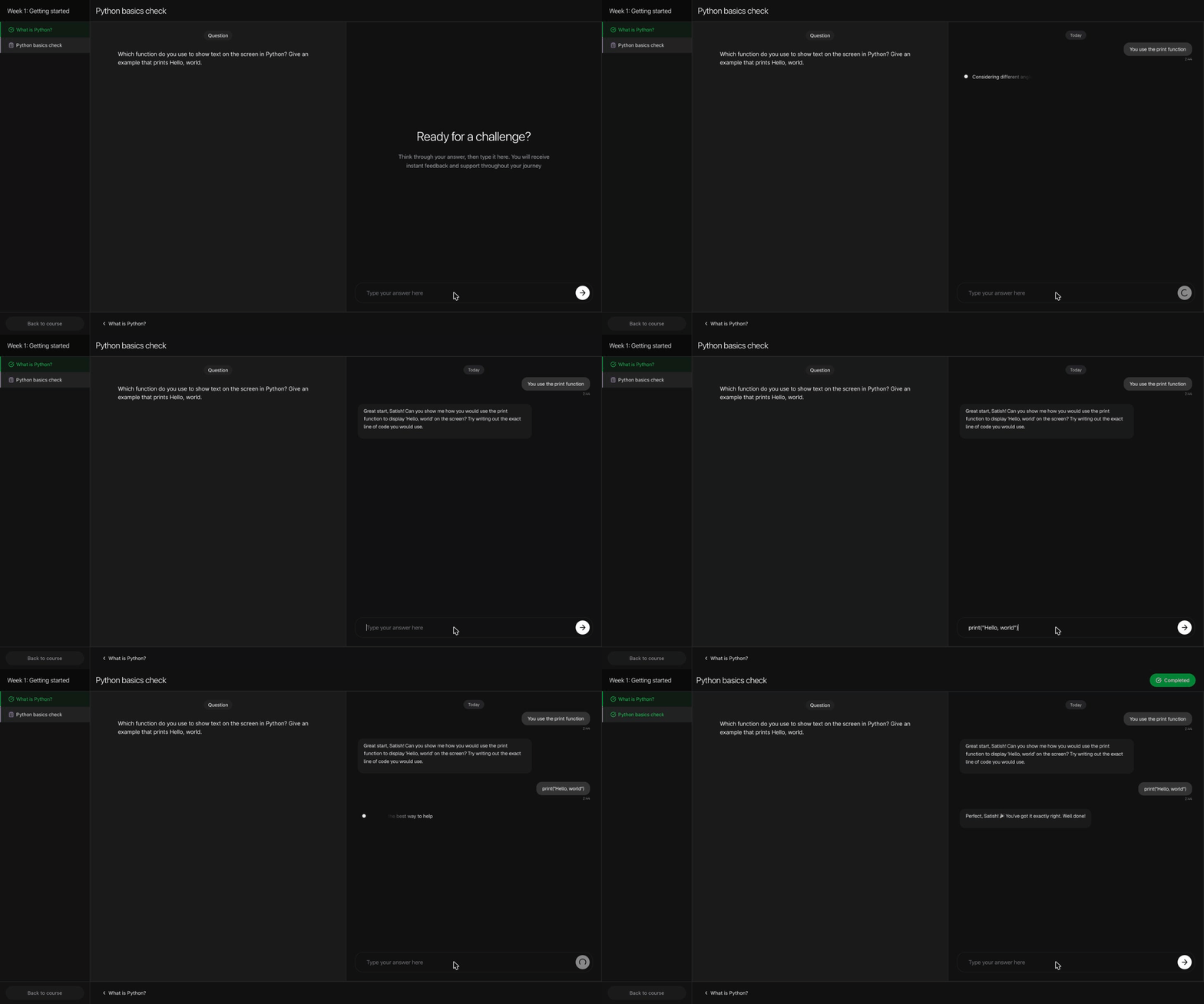
- For questions with one correct answer, the question is complete once the AI judges your answer fully correct.
- For open-ended questions, you get a Detailed Report with an overall score, a score for each criterion, your strengths and areas for improvement. The question is complete once every criterion reaches its pass mark. Click View Report on any reply to open it again.
Exam questions
Exam questions are marked One-time Submission. You confirm before you submit and cannot change your answer afterwards. You will not see a score or feedback. Your school can see the result.When a quiz is complete
A quiz is complete when every question in it is complete. Your conversations are saved, so you can come back to them later.Assignments
An assignment shows the Problem Statement on the left and the submission area on the right.1
Upload your project
Put all your files in one .zip file of up to 50 MB and upload it. Include all the relevant code and text files. Images and PDFs inside the zip are not read.
2
Read the AI's review
If your work is not ready yet, the AI explains what to fix and asks you to upload again.
3
Answer follow-up questions
The AI asks you about your work, one area at a time. Reply in text or audio, depending on the assignment.
4
Get your report
You get a score and feedback for each area. The assignment is complete when every area reaches its pass mark.